

Dual USB-C Charging and Smart Device Detection: How It Works

Quick answer
Smart device detection in a dual USB-C wall outlet is an automated charging-power decision, not a promise that the outlet recognizes a device by retail model. With USB Power Delivery (USB PD), each USB-C charging port acts as a Source: it offers supported power options, and the connected device requests one it can use.[1] The outlet's AC receptacles continue to provide normal AC power; USB negotiation applies only to its charging ports.
The key points:
- With one device connected, that USB-C port can use only a profile supported by the port, device, and cable.
- When a second device connects, each connection still needs a compatible power agreement, while the outlet keeps both ports within its model-specific USB power budget.
- The split is not automatically equal. Available power can remain unchanged, drop on one or both ports, or follow a documented priority rule; the exact product table decides.
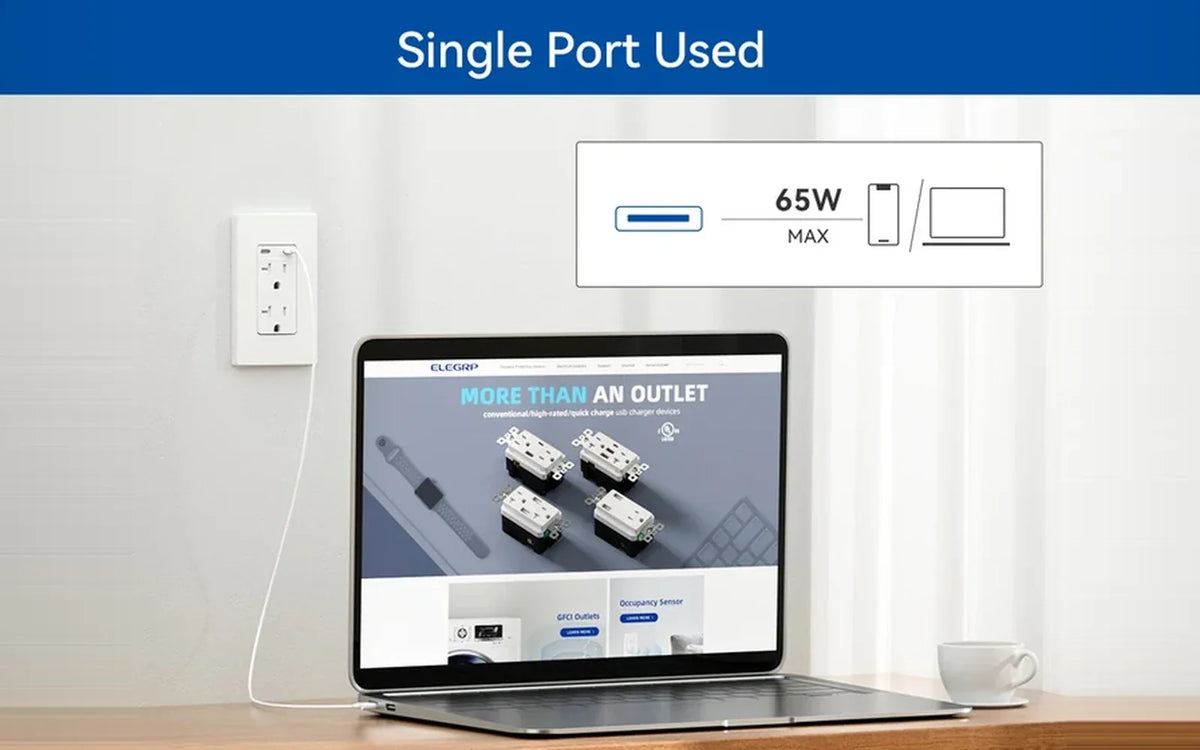
- Published examples show the difference. ELEGRP's 30W dual-C model lists up to 30W with either port used alone and 5 V / 3 A, or 15W, on each port with both active.[2] Its 65W page does not publish a simultaneous-output row, so an exact two-port split should not be assumed.[3]
Smart device detection controls charging power
A USB outlet is a wall receptacle with built-in charging ports; an outlet with USB-C ports is commonly called a USB-C outlet. Its AC receptacles still accept compatible AC plugs and are not part of USB Power Delivery negotiation.
“Smart device detection” is product language rather than the name of one USB-IF charging standard. ELEGRP's 30W dual-USB-C page describes a built-in smart chip that detects connected devices and delivers an appropriate charging speed, while its 65W page uses similar language for built-in intelligent charging technology.[2][3]
For a consumer, the useful interpretation is that the charging electronics respond to the connection and supported power signals instead of applying the USB port's maximum wattage to every device. It does not mean the outlet reads files, apps, contacts, or the exact retail identity of a connected product.
| Layer | What the charging system decides | What it does not prove |
|---|---|---|
| Connection detection | Whether a compatible device is attached to a USB-C port | That the outlet knows the exact retail model |
| Power negotiation | Which offered voltage and current the device can request | That the highest advertised wattage will be used |
| Multi-port allocation | Which profiles remain available while both ports are active | That total wattage is always divided equally |
The USB-IF explains that USB PD supports device-requested power and power management across multiple connected devices.[1] That is the standards-level mechanism. The outlet manufacturer's controller then applies the power budget and port behavior designed for that exact model.

One device receives a mutually supported power profile
In USB PD language, the outlet's USB-C charging port is the Source, and the phone, tablet, or laptop is the Sink. The outlet as a whole is not a USB PD Source because its AC receptacles continue to supply AC power. The USB exchange works in four basic steps:
- A device connects to one USB-C charging port.
- The Source makes its available power capabilities known.
- The connected device requests a supported option.
- The Source accepts a compatible request and supplies the agreed power.[1]
This is why a high-wattage USB-C port does not force its maximum into a phone. The number published for the port is a ceiling under stated conditions, while the actual session is limited by the profiles both ends support. The cable can impose another limit. Cable classes and device wattage are covered separately in 20W, 30W, 45W, and 65W USB-C Outlet Charging Power.
A USB wall outlet also contains the AC-to-DC conversion that a separate charger brick would normally perform. For that internal power path, see how a USB wall outlet charges without a charger brick. After conversion, the USB controller still has to offer a power profile the connected device can accept.

A second device adds another negotiation within one power budget
A second connection creates two device-level power decisions inside one product-level budget. Each USB-C port has a connected device with its own supported input, but the ports may share the outlet's conversion hardware and total USB output.
The controller therefore has two jobs:
- Establish a compatible power level for the device on the second port.
- Keep the combined result within the output rules published for that model.
If the outlet has enough capacity under its dual-port mode, the first device's available power may remain unchanged. If the dual-port table offers lower profiles, one or both devices will have less available power than in single-port use. A model can also define port priority. None of those outcomes can be determined from the words “dual USB-C” alone.
This is the difference between negotiation and allocation. USB PD governs how a USB-C Source and connected device agree on supported power. The product's multi-port design governs which Source capabilities can be offered on each port at the same time. Smart detection automates decisions within those limits; it does not create additional power.
The simultaneous-output row determines the actual split
ELEGRP's 30W dual-C product page provides both one-port and simultaneous-use profiles. That makes it a bounded example of how the second connection changes available power.[2]
| Active-port state | Published output | What it establishes |
|---|---|---|
| Type C1 used alone | 5 V / 3 A through 20 V / 1.5 A | C1 can reach 30W under a compatible profile |
| Type C2 used alone | 5 V / 3 A through 20 V / 1.5 A | C2 can reach 30W under a compatible profile |
| Type C1 + Type C2 | 5 V / 3 A on each port | Both ports can supply 15W at the same time |
The lesson is not that every 30W or dual-C outlet behaves this way. It is that the Type C1 + Type C2 row answers a different question from either port's one-device maximum.
The evidence boundary matters just as much. ELEGRP's 65W dual-C page lists 5 V / 3 A, 9 V / 3 A, 12 V / 3 A, 15 V / 3 A, and 20 V / 3.25 A, with 65W as the stated maximum.[3] Its public text specification does not assign those profiles to a one-port state or publish a both-ports-active row. The page confirms the listed output ladder and maximum, but it does not support an exact simultaneous split.
Before relying on any dual-port headline, check four items on the exact model page or instructions:
- Is the headline number total USB output or a per-port maximum?
- What does each port provide when it is the only active port?
- What does each port provide when both are active?
- Is a first-port, high-power-port, or first-connected priority stated?
If the third or fourth answer is missing, do not fill the gap by dividing the total wattage or borrowing a table from another model.

A published drop in available power can be normal
A drop in available USB power after connecting a second device can be normal when the exact simultaneous-output table lists lower profiles. That behavior reflects the outlet's active-port mode rather than a failure of smart detection. Available power and observed charging speed are not interchangeable: the device's accepted profile and the cable can also limit the charging session.[1]
Use a simple isolation check when the result is unclear:
- Disconnect the second device and compare the first device's behavior in one-port mode.
- Try a cable already known to support the intended charging level.
- Confirm that the connected device supports one of the exact model's published profiles.
- Compare the one-port result with the both-ports-active row, not only with the headline wattage.
Persistent connection cycling or failure to charge even in one-port mode is not explained merely by normal power sharing. Check the device and cable requirements and use the product manufacturer's support or instructions rather than assuming the outlet has selected a lower profile.
USB specifications are only one part of choosing an in-wall device. Confirm that the receptacle matches the circuit rating, electrical box, installation location, and locally applicable requirements. Before line-voltage work, turn off the circuit breaker and use an appropriate tester to verify that the conductors are not energized. ESFI recommends using a qualified, licensed electrician for home electrical work.[4]
When a dual-port model publishes the states your devices need, compare the exact output rows rather than the headline alone. The ELEGRP USB wall outlet range includes multiple wattage classes that can be evaluated with this same method.
Frequently asked questions
Can one USB-C port charge a phone while the other charges a laptop?
Only if the exact model's both-ports-active profile remains suitable for each device. For the 30W dual-C model referenced here, both ports provide 5 V / 3 A each when active together, so a laptop that requires a higher-voltage USB PD profile would not receive it in that state.[2] ELEGRP's 65W page does not publish a simultaneous-output row, so its phone-plus-laptop allocation cannot be confirmed from that page alone.[3]
Can smart device detection overcome a cable limit?
No. Smart detection and USB PD negotiation can select only a profile supported by the Source, device, and connection. USB-IF explains that USB PD delivers power over the USB Type-C cable and connector and that higher-power operation requires a cable rated for the applicable current.[1] If one-port charging is below the expected level, test a known-compatible cable before treating the result as a dual-port allocation issue.
Why can the first device's available power change when a second device connects?
The ports may share one total USB power budget. Connecting a second device can cause the controller to advertise a different set of profiles on one or both ports so the combined output stays within the model's simultaneous-use limits. The exact table, not the phrase “smart detection,” determines whether that change occurs.
Will the device connected first always keep priority?
No universal first-device rule exists. Port priority is model-specific, so look for a priority note or simultaneous-output row in the exact model's instructions. The referenced 30W model gives both active ports the same 5 V / 3 A profile and does not state a first-connected priority.[2] The 65W public specification does not state one either.[3]
The bottom line
Smart device detection automates compatible USB power decisions; it does not identify a device by retail model or guarantee the headline wattage on both ports. Treat each USB-C charging port as a USB PD Source, then check the exact model's one-port profiles, combined budget, simultaneous-output row, and priority rules. If any dual-port allocation is unpublished, do not assume it.
References
- USB Charger (USB Power Delivery). USB Implementers Forum. Used for USB PD negotiation, device-requested profiles, multi-device power management, and cable-dependent power delivery. It does not confirm a specific ELEGRP model's port allocation — USB-IF
- USB C/C, 30W 6.0A Total Output Outlet with 15A/20A, Tamper-Resistant Wall Outlet. ELEGRP. Used for the smart-chip wording and published C1-only, C2-only, and C1+C2 output profiles; these values apply to this model — ELEGRP 30W dual USB-C outlet
- 65W USB-C Wall Outlet with Dual Fast Charging Ports. ELEGRP. Used for the intelligent-charging wording and public 5 V through 20 V output list with a 65W maximum. The public text specification does not provide an exact both-ports-active allocation — ELEGRP 65W dual USB-C outlet
- Do-It-Yourself (DIY) Electrical Safety. Electrical Safety Foundation International. Used for the recommendation to use a qualified, licensed electrician and to switch off and test a circuit before electrical work — ESFI


